Overview
The Learning Object Repository (LOR) is an online library for storing, managing, and sharing your learning resources (learning objects). A learning object can be a quiz, a presentation, an image, a video, or any other kind of document or file you use to create course content and learning materials for online learning.
When you publish your learning objects to Learning Repository, you tag those objects with metadata to classify and organize your learning objects and make them easily searchable for others. You can classify learning objects according to defined learning standards or goals. You can also review, rate, and provide feedback on learning objects to ensure high quality online resources.
Adding Your Syllabus to the LOR
Step 1. Navigate to the syllabus in the Content area. Then, click on the dropdown associated with the document and click Publish to LOR.
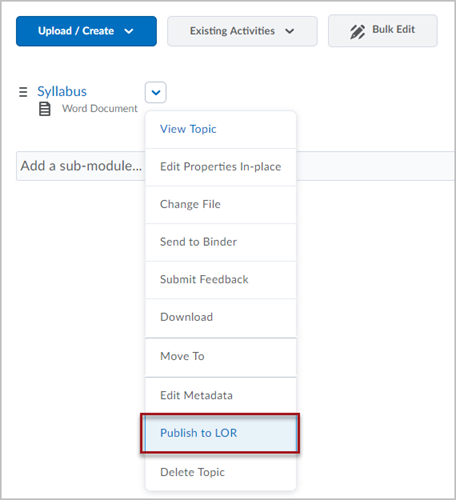
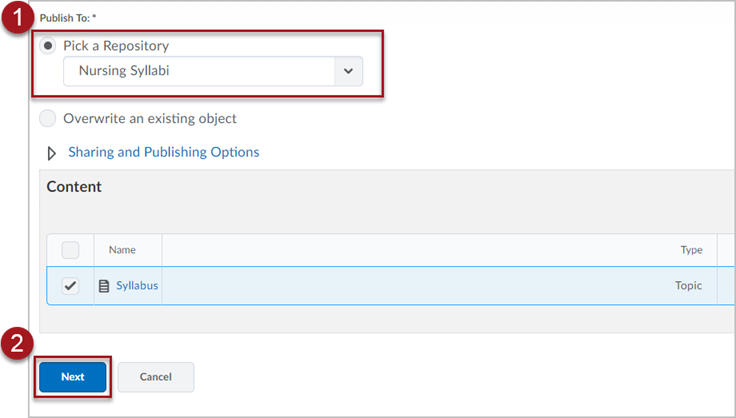
Step 2.
- Select your school/program syllabi repository from the “Pick a Repository” drop-down menu.
- Click the blue Next button at the bottom of the page.
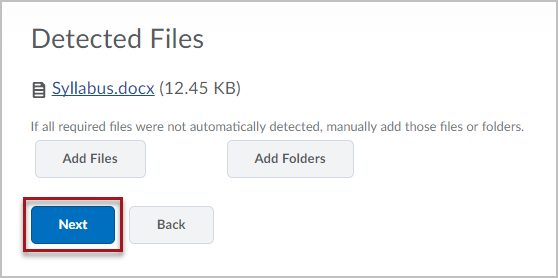
Step 3. On the Detected Files page, click the blue Next button to confirm that the correct file is being uploaded.
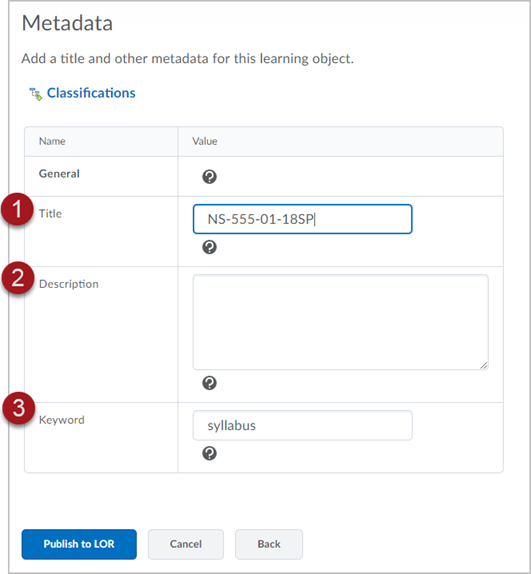
Step 4. Fill in the metadata to be associated with your syllabus.
- Title – Enter the course code of the course the syllabus is from.
- Description – Enter a description of the syllabus (optional)
- Keyword – Enter “syllabus” for the keyword.
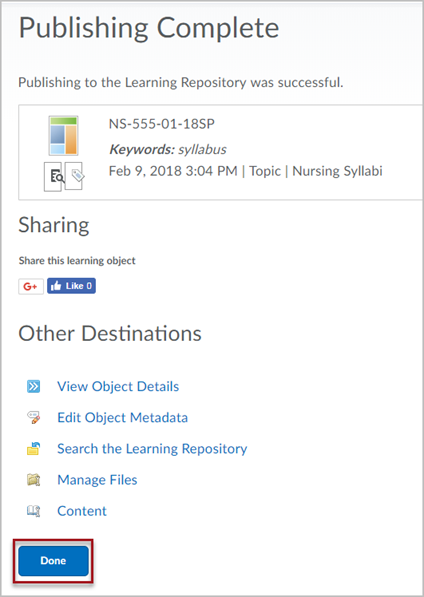
Step 5. Click the blue Done button at the bottom of the “Publishing Complete” page to finish submitting your syllabus to the LOR.